


for this tutorial you need:
- docker even if you want use composer direct in your native system is valid, add a tutorial to install docker just in case.
Tutorial docker: https://docs.docker.com/engine/install/ - github account https://github.com/
- packagist account https://packagist.org/
create a folder, you must think the name package, because this is name the folder
mkdir -p query-log && cd query-logcreate a package composer
sudo docker run --rm --interactive --tty  --volume $PWD:/app --user $(id -u):$(id -g) \
  composer  composer init

now with that generator why create the package i will explain all steps and the because use that words or parameters
- Package name (<vendor>/<name>) [root/app]: cirelramos/query-log
that parameter represent cirelramos -> your name in repository github - Description []: this package has utils to send console query generate in your project laravel
your description about that package - Author [n to skip]: Cirel Ramos
your name - Minimum Stability []:
you can type dev or only press key ENTER - Package Type (e.g. library, project, metapackage, composer-plugin) []:
you can press key ENTER or type word associate to project - License []: MIT
type MIT this is a standar license to software or is recommendate license to programs open soucer - Would you like to define your dependencies (require) interactively [yes]?
press key ENTER, we will add more later is more easy that way - Would you like to define your dev dependencies (require-dev) interactively [yes]?
press key ENTER, we will add more later is more easy that way - Add PSR-4 autoload mapping? Maps namespace "Cirelramos\QueryLog" to the entered relative path. [src/, n to skip]:
press key ENTER, we will adjust the namespace - Do you confirm generation [yes]? yes
type yes and press key ENTER
okey now install a various packages
sudo docker run --rm --interactive --tty  --volume $PWD:/app --user $(id -u):$(id -g) \
composer composer require "illuminate/database":"^7.20|^8.19|^9.0"sudo docker run --rm --interactive --tty --volume $PWD:/app --user $(id -u):$(id -g) \
composer composer require "illuminate/http":"^7.20|^8.19|^9.0"sudo docker run --rm --interactive --tty --volume $PWD:/app --user $(id -u):$(id -g) \
composer composer require "illuminate/contracts":"^7.20|^8.19|^9.0"sudo docker run --rm --interactive --tty --volume $PWD:/app --user $(id -u):$(id -g) \
composer composer require "illuminate/config":"^7.20|^8.19|^9.0"we add various version support to this pacakge can working different laravel version, some package dont support this, maybe require only the version that you need

version php
"php": "^7.4|^8.0",
keyworks
"keywords": [
  "laravel",
  "log",
  "database"
],
add your email
  "authors": [
    {
      "name": "Cirel Ramos",
      "email": "cirelramos@gmail.com"
    }
  ],
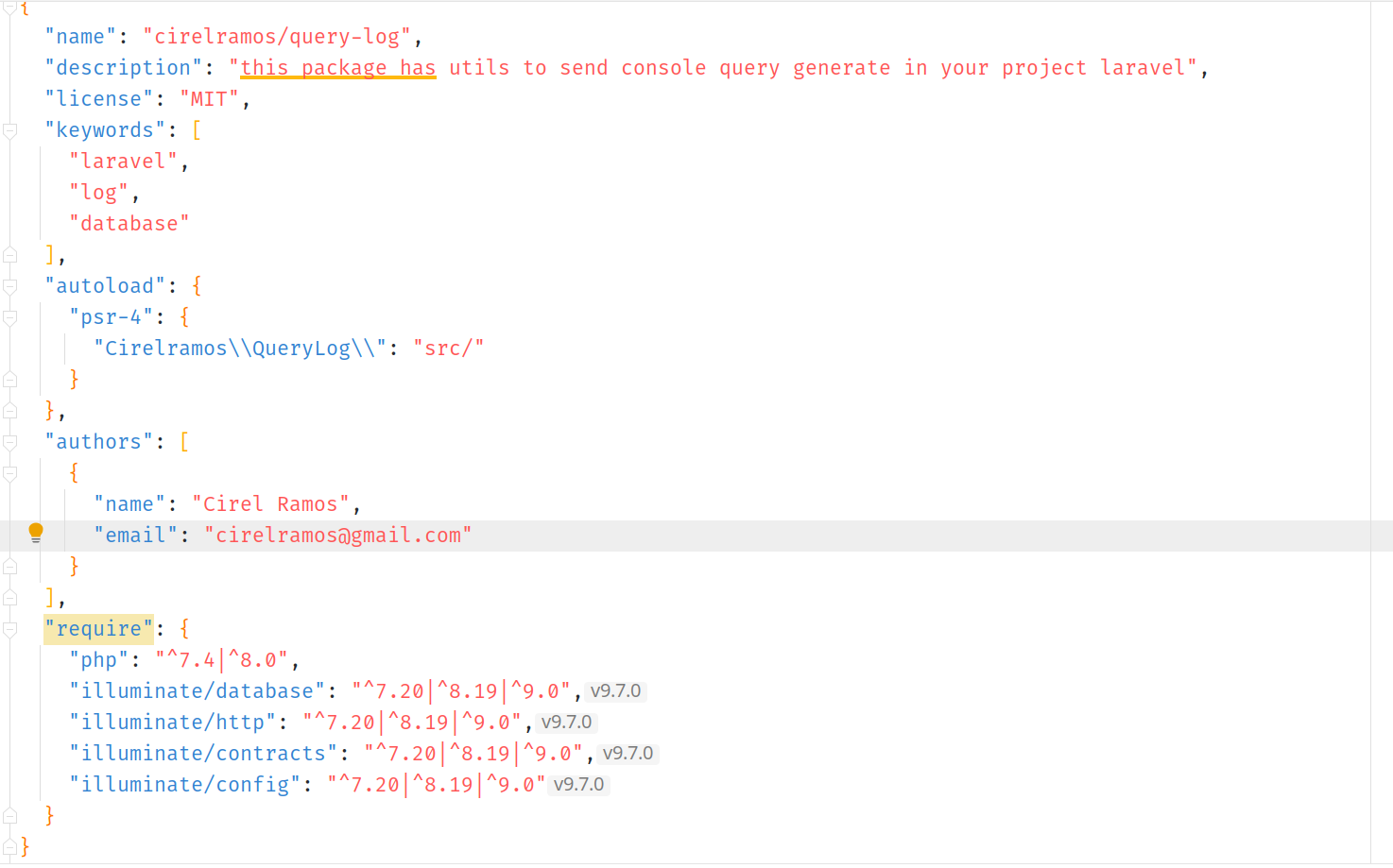
In Laravel 5.5 and later, there is a function called auto-discovery that automatically registers ServiceProvider when it is created by itself. after we create the folder and file necessary
  "extra": {
    "laravel": {
      "providers": [
        "QueryLog\\Providers\\ServiceProvider"
      ]
    }
  }
now we create the folders and files and copy the content
mkdir -p src/Providersmkdir -p src/Servicesmkdir -p configtouch src/Providers/QueryLogProvider.php <?php
namespace Cirelramos\QueryLog\Providers;
use Cirelramos\QueryLog\Services\SendStderrService;
use DateTime;
use Illuminate\Support\Facades\DB;
use Illuminate\Support\ServiceProvider;
use Illuminate\Support\Str;
/**
*
*/
class QueryLogProvider extends ServiceProvider
{
/**
* Bootstrap services.
*
* @return void
*/
public function boot(): void
{
DB::listen(static function ($query) {
if(config('query-log.query_log_is_active') === false){
return;
}
$queryBinding = '';
$sql = $query->sql;
$bindings = array_map(static function ($value) {
if ($value instanceof DateTime) {
return $value->format('Y-m-d H:i:s');
}
return $value;
}, $query->bindings);
foreach ($bindings as $binding) {
$queryBinding .= $binding . ', ';
$value = is_numeric($binding) ? $binding : "'$binding'";
$sql = preg_replace('/\?/', $value, $sql, 1);
}
$searchWords = config('query-log.exclude_log_query_by_words');
if (Str::contains($sql, $searchWords)) {
return null;
}
$sql = "time_query:".$query->time." ".$sql;
SendStderrService::execute($sql);
});
}
}touch src/Providers/ServiceProvider.php<?php
namespace Cirelramos\QueryLog\Providers;
/**
*
*/
class ServiceProvider extends \Illuminate\Support\ServiceProvider
{
public function register()
{
$this->mergeConfig();
}
public function boot()
{
$this->publishConfig();
$this->publishMigrations();
}
private function mergeConfig()
{
$this->mergeConfigFrom($this->getConfigPath(), 'query-log');
}
private function publishConfig()
{
// Publish a config file
$this->publishes([ $this->getConfigPath() => config_path('query-log.php'), ], 'config');
}
private function publishMigrations()
{
// $path = $this->getMigrationsPath();
// $this->publishes([$path => database_path('migrations')], 'migrations');
}
/**
* @return string
*/
private function getConfigPath()
{
return __DIR__ . '/../../config/query-log.php';
}
/**
* @return string
*/
private function getMigrationsPath()
{
return __DIR__ . '/../database/migrations/';
}
}touch src/Services/SendStderrService.php<?php
namespace Cirelramos\QueryLog\Services;
use Illuminate\Support\Facades\Log;
/**
*
*/
class SendStderrService
{
/**
* @param $message
* @return void
*/
public static function execute($message): void
{
Log::debug($message);
}
}touch config/query-log.php<?php
return [
/*
|--------------------------------------------------------------------------
| Laravel query-log
|--------------------------------------------------------------------------
|
|
*/
/*
* exclude query by words
* example:
*
'exclude_log_query_by_words' => [
'token',
'password',
],
*/
'exclude_log_query_by_words' => [
],
];okey now you need pay atencion these details
Files.php
<?php

namespace Cirelramos\QueryLog\XXXXXXX;
composer.json
  "autoload": {
    "psr-4": {
      "Cirelramos\\QueryLog\\": "src/"
    }
  },
those path/namespace has relation between, so we go change for a word type standar camelcase, go head
Files.php
<?php

namespace CirelRamos\QueryLog\XXXXXXX;
composer.json
  "autoload": {
    "psr-4": {
      "CirelRamos\\QueryLog\\": "src/"
    }
  },
ok, now we adjusted the namespace correctly
create the repository


ok, now you have some as that

init git
git initgit remote add origin git@github.com:cirelramos/query-log.git *licence (change the values for you name project)
*.gitignore
add mark all files to upload for git
git add --all
add message to commit and set all files to temp loca git
git commit -m "first commit"
upload all changes to branch master
git push origin master

now upload this project in https://packagist.org/packages/submit
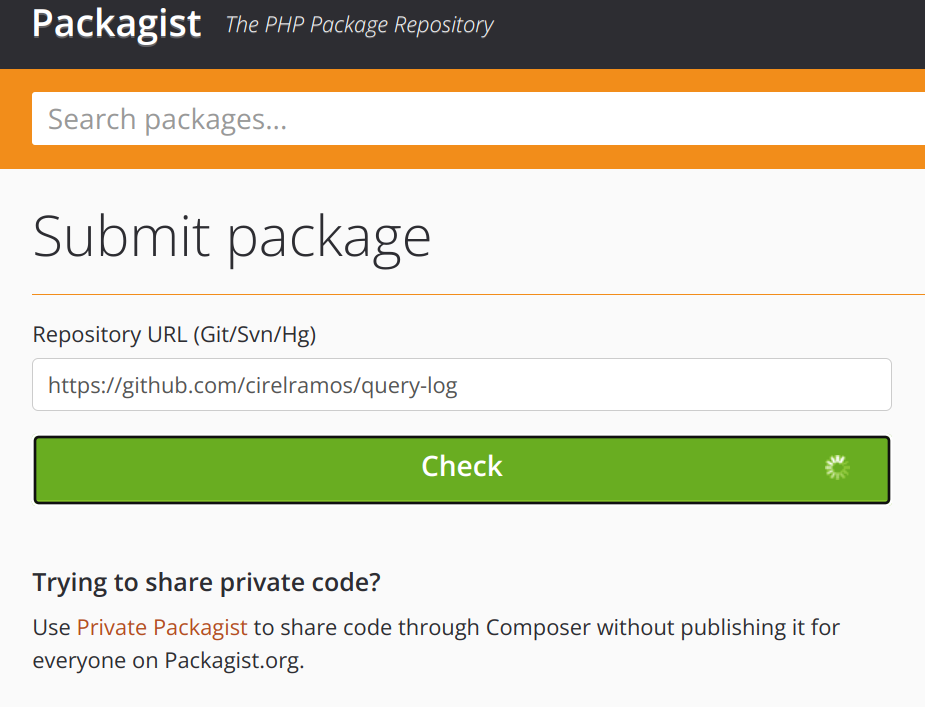
check the create package and press create

okey when the load is finish, you can see the version that manage your project

create the tag version and push tag version
git tag 1.0.1 && git push --tagslist all tag's version
git tag --list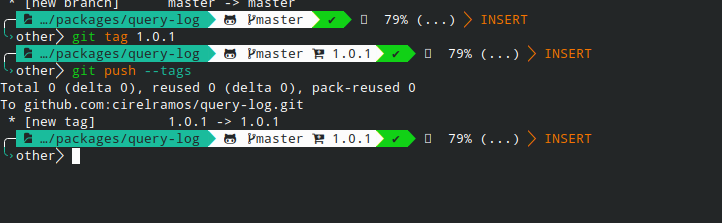

you will see the new version
if you want create other version, first upload the files with workflow normally git and after run the comand to create version tag and push tag
link the repository for this tutorial
https://github.com/cirelramos/query-log


First we go create account in docker-hub, when we have a account, login with this account in the computer
sudo docker login --username=your_user_name
create the repository
https://hub.docker.com/repository/create

create folder to project
mkdir -p ubuntu-ssh && cd ubuntu-ssh
add file to build image
touch Dockerfile
open file with your editor favorite, i use vim :)
vim Dockerfile
add this content
FROM ubuntu:18.04


# disable interactive functions
ENV DEBIAN_FRONTEND noninteractive
RUN apt-get update
RUN apt-get install -y software-properties-common
RUN apt-get install ssh -y


CMD ["bash"]
if you use vim, to save and exit press : and write wq and press ENTER
build the image local
sudo docker build . -t ubuntu-sshlist images
sudo docker images
we copy the IMAGE ID
we create a tag of image
sudo docker tag e53082e90e87 your_user_name/ubuntu-ssh:latest
we push the image
sudo docker push your_user_name/ubuntu-ssh:latest
it is done, the image is ready in docker hub how this image https://hub.docker.com/r/cirelramos/ubuntu-ssh

spectacle -r -c -b
sudo vim /etc/pulse/default.pa
you can append auto_switch=2 to load-module module-bluetooth-policy
======================================
load-module module-bluetooth-policy auto_switch=2
======================================
Link: https://archived.forum.manjaro.org/t/set-bluetooth-headset-default-to-hsp-hfp/144042/2

Window AppMenu Applet

save changes in stash with message and interactive changes
git stash save -p -m "custom message"
list changes in stash
git stash list
get from stash at position 0 witout remove register the stash
git stash apply --index 0
get from stash at position 0 remove register the stash
git stash pop 0
get from stash at position 0 remove register the stash
git stash drop 0
manually stash
man git stash


